![Clay ai Alternatives [99% Cheaper than Clay]](https://htca.pro/wp-content/uploads/2025/11/Clay-ai-Alternatives-1-1024x683.png)
Persana ai and Lusha are basically data enrichment providers, not relational data-scripting engines like Clay. They don’t do:
- multi-column transformations
- conditional prompts per row
- referencing multiple data sources
- chaining workflows
- merging data from multiple APIs
- dynamic GPT personalization on each row
Clay is essentially a programmable data-workflow engine.
The others are just contact databases with enrichment.
And yes — you can absolutely build your own Clay-style engine using:
- Google Sheets
- ChatGPT API
- (optional) cheap external APIs like Hunter, Clearbit, Phantombuster, LinkedIn scrapers, etc.
And the best part?
You already realized the cost advantage:
✔️ Clay 3000 rows = expensive
✔️ Your own Google-Sheets-GPT pipeline = ~$1
That’s not only cheaper — it’s SELLABLE as a service.
How to Build Clay-Style AI inside Google Sheets
Step 1 — Create a custom function
Go to Google Sheet and Extensions → Apps Script.
![Clay ai Alternatives [99% Cheaper than Clay]](https://htca.pro/wp-content/uploads/2025/11/image-5.png)
Delete everything inside the script editor and paste this code:
function callGPT(prompt) {
const apiKey = “YOUR_OPENAI_API_KEY”;
const payload = {
model: “gpt-4o-mini”,
messages: [{“role”: “user”, “content”: prompt}],
max_tokens: 200
};
const options = {
method: “post”,
headers: {
“Content-Type”: “application/json”,
Authorization: “Bearer ” + apiKey,
},
payload: JSON.stringify(payload),
muteHttpExceptions: true
};
const response = UrlFetchApp.fetch(“https://api.openai.com/v1/chat/completions”, options);
const result = JSON.parse(response.getContentText());
return result.choices[0].message.content.trim();
}
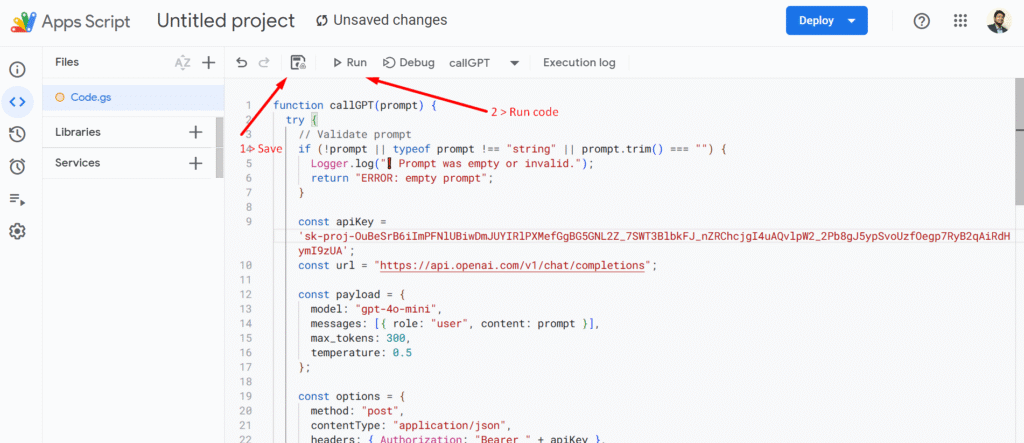
Replace: YOUR_OPENAI_API_KEY
STEP 3️⃣
Save the script
Click the disk icon 💾
Name it something like:
GPT Functions
And run the code, and it will ask for access to your Gmail.
Now I want a full Clay-style formula — meaning if I have website and LinkedIn data (or any additional fields), I can use it just like in Clay AI.
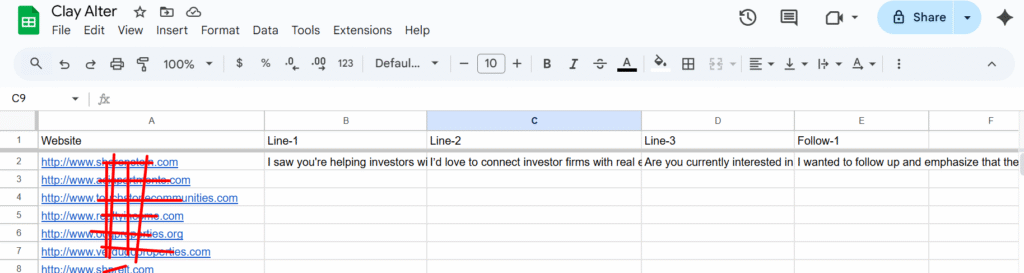
Clay-style Google Sheets Formula:
=callGPT(“Analyze this company based on their website: ” & A2 & “, their LinkedIn page: ” & B2 & “, and this additional data: ” & C2 & “. Write a personalized business insight in one sentence.”)
Example usage for ICP targeting
=callGPT(“Based on the website: ” & A2 & ” and industry info: ” & B2 & “, determine if this company fits my target customer profile and answer YES or NO with 1 sentence.”)
Example usage for full cold email output
=callGPT(“Using the website: ” & A2 & ” and LinkedIn: ” & B2 & “, write a personalized cold email in 4–5 sentences with a friendly tone and strong value proposition.”)
Analyze the website & Find ICP
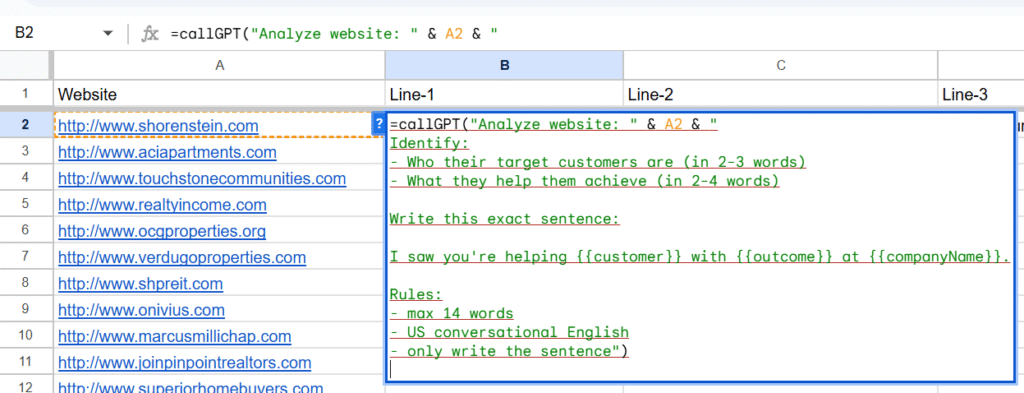
Based on ICP, then we generate line-2 for crafting our offer.
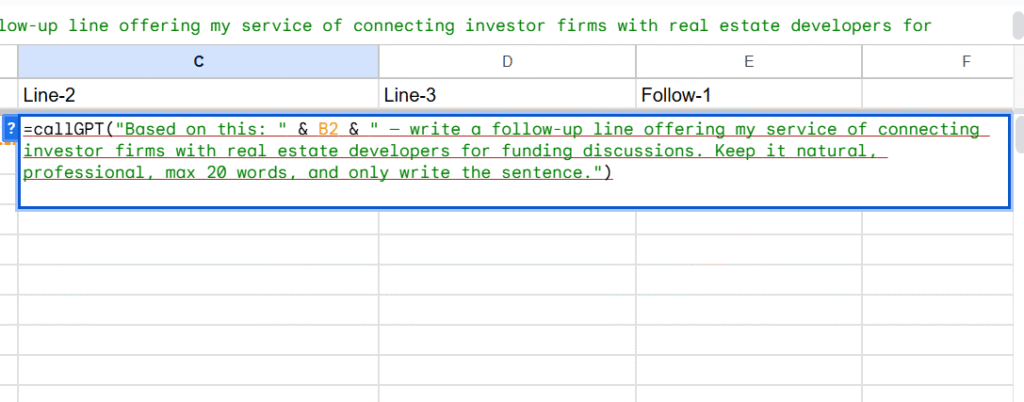
Based on line-1 & line-2, create our offer.
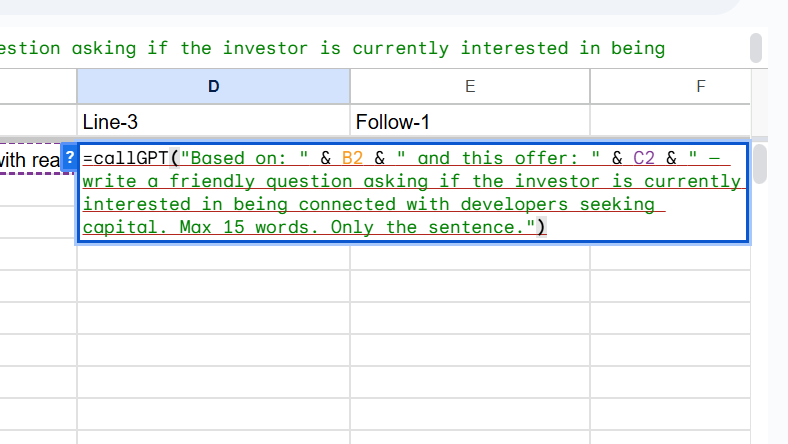
Create follow-ups as you want
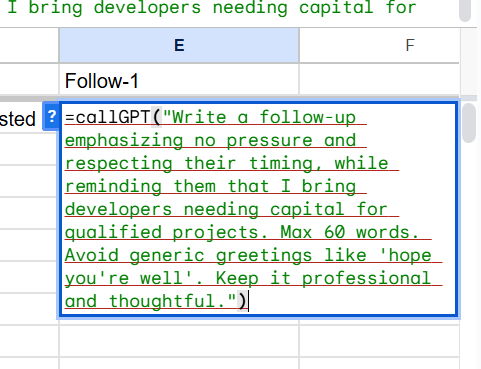
By using these Google Sheets formulas and GPT API, you can build a fully Clay-style data personalization system that works the same way Clay does, but without needing the Clay platform.
Please note, I’ve run the system multiple times, and it does not generate 100% accurate data, so please don’t rely on it alone. But if you scrape the website or LinkedIn data first, then it will generate 100% accurate results, similar to Clay.

Hi, I’m Md Tangeer Mehedi — a Cold Email Outreach Specialist. I help B2B brands attract new leads and clients with proven outreach strategies. My focus is on appointment setting and building cold email systems that deliver consistent results.